WebMuxInstall WebMux

Your agents keep running on the server.
Pick them up from any device.

WebMux is a terminal that keeps running in the browser, built for driving CLI agents such as Claude Code and Codex from anywhere. Sessions live on the server; browsers, phones and local terminals just attach.

curl -fsSL https://github.com/mzdluo123/webmux/releases/latest/download/install.sh | sh

v0.10.2 · Linux, macOS, Windows (WSL 2) · MIT

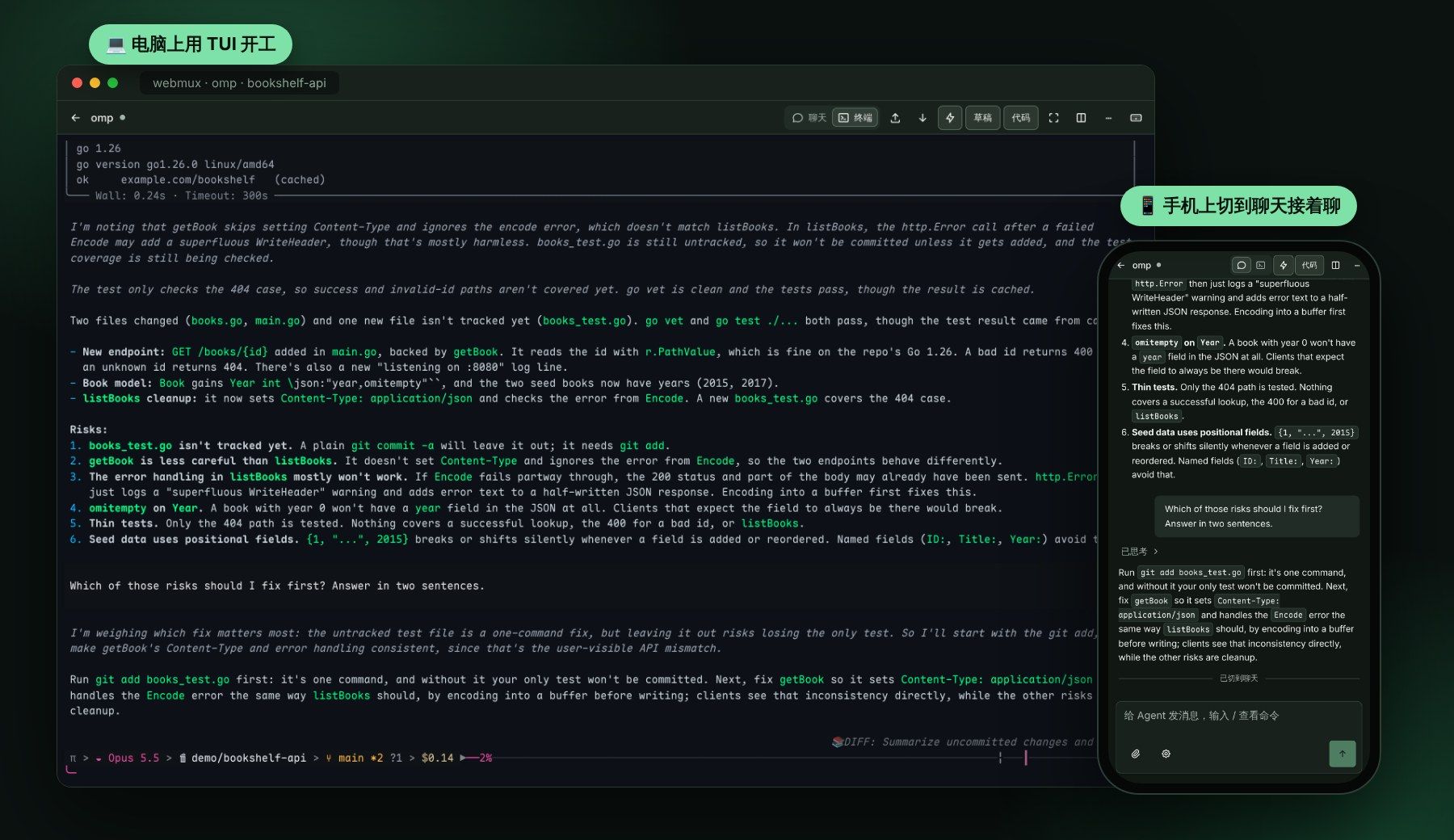
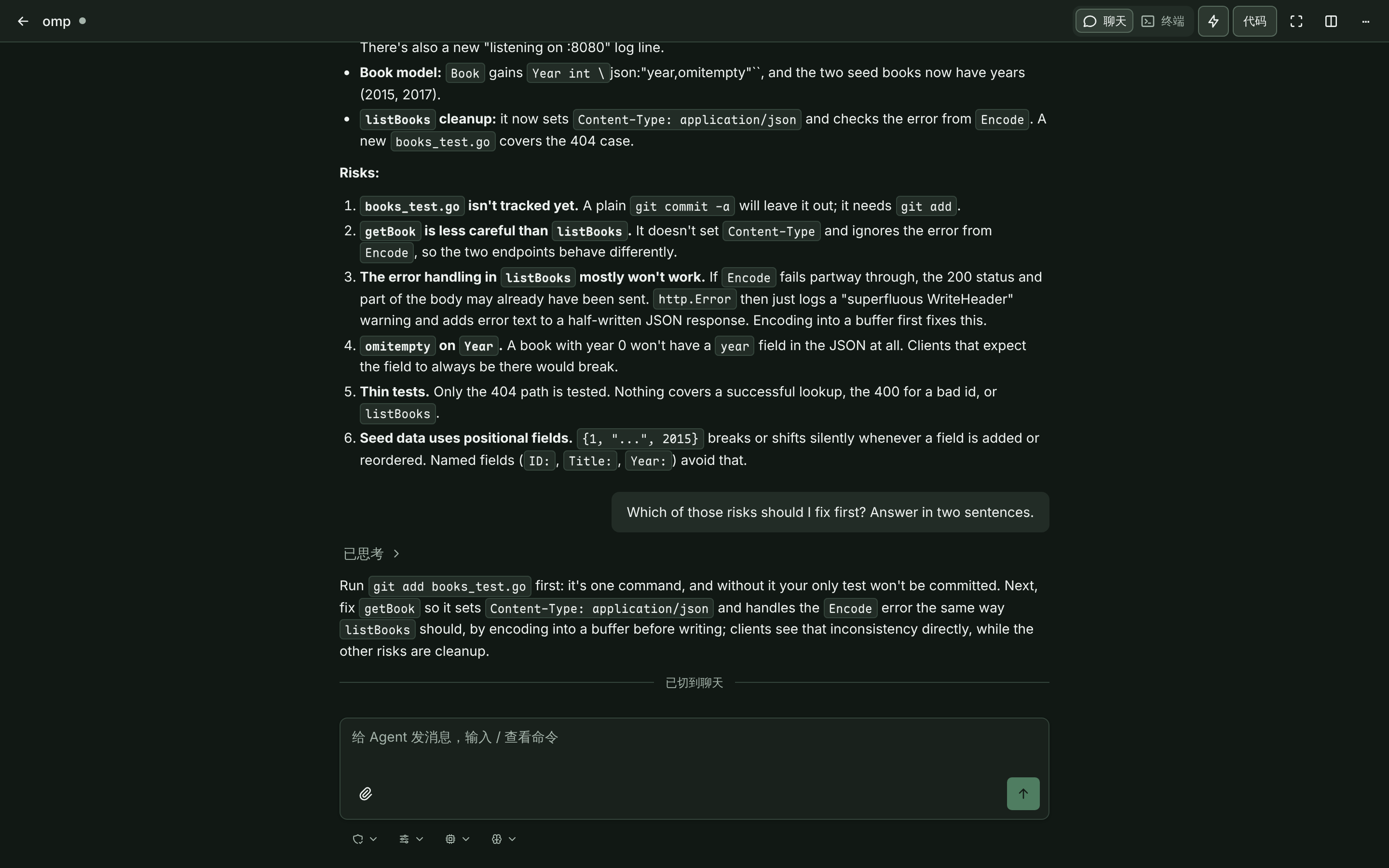
同一个 omp 会话:电脑浏览器里是原生 TUI,手机上切到聊天视图继续对话

How it works

01 / Start at your desk

You ask Claude Code to refactor a module, then you have to leave.

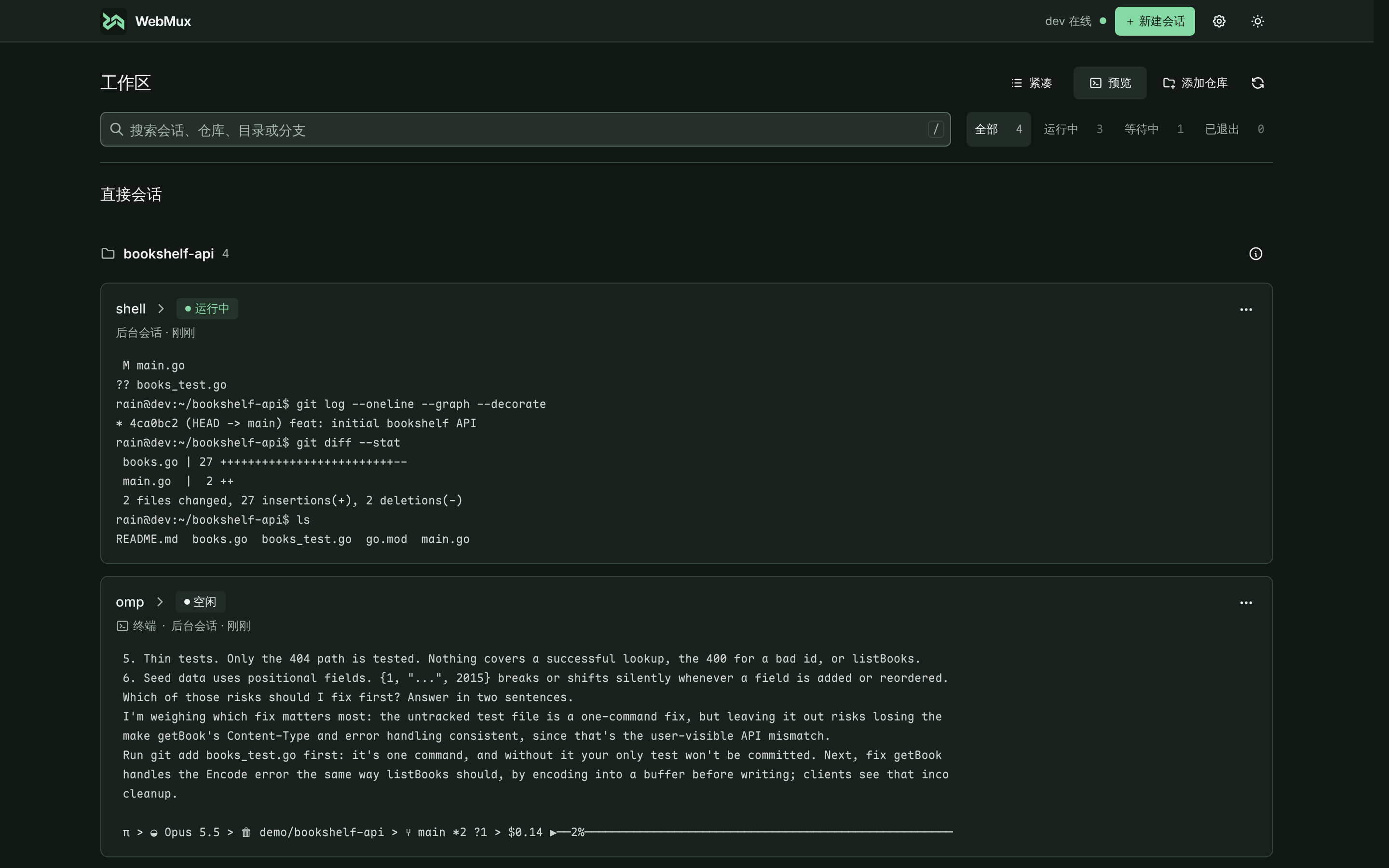
Close the laptop; the agent keeps working. The overview groups every session by repository and shows live who is running, who is waiting for you, and what is on each screen.

Read about the session list (Chinese docs)

会话总览:多个 agent 会话按仓库分组,显示运行状态与屏幕预览

02 / Take over on your phone

On the train your phone lights up: the agent has a question.

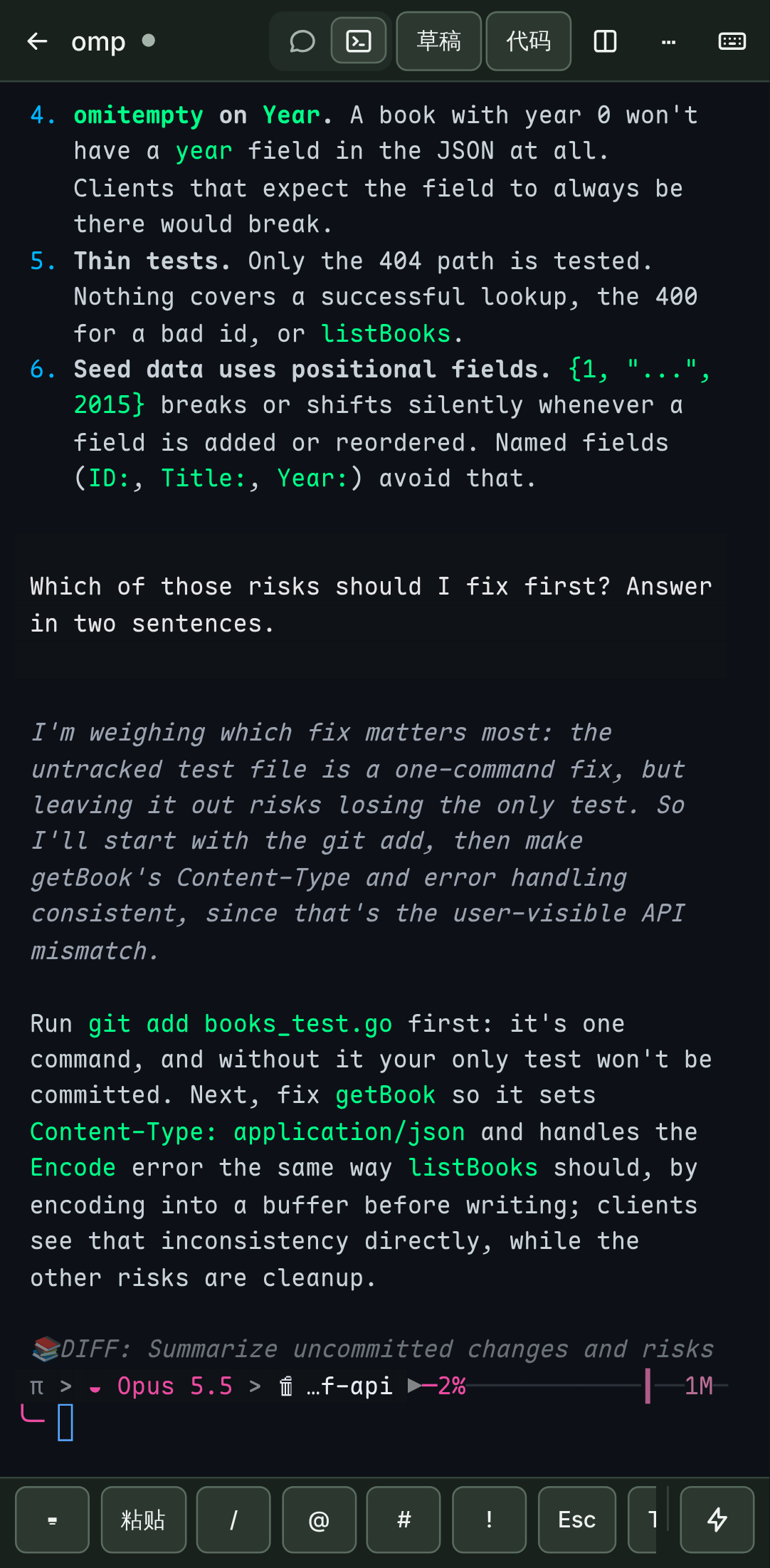
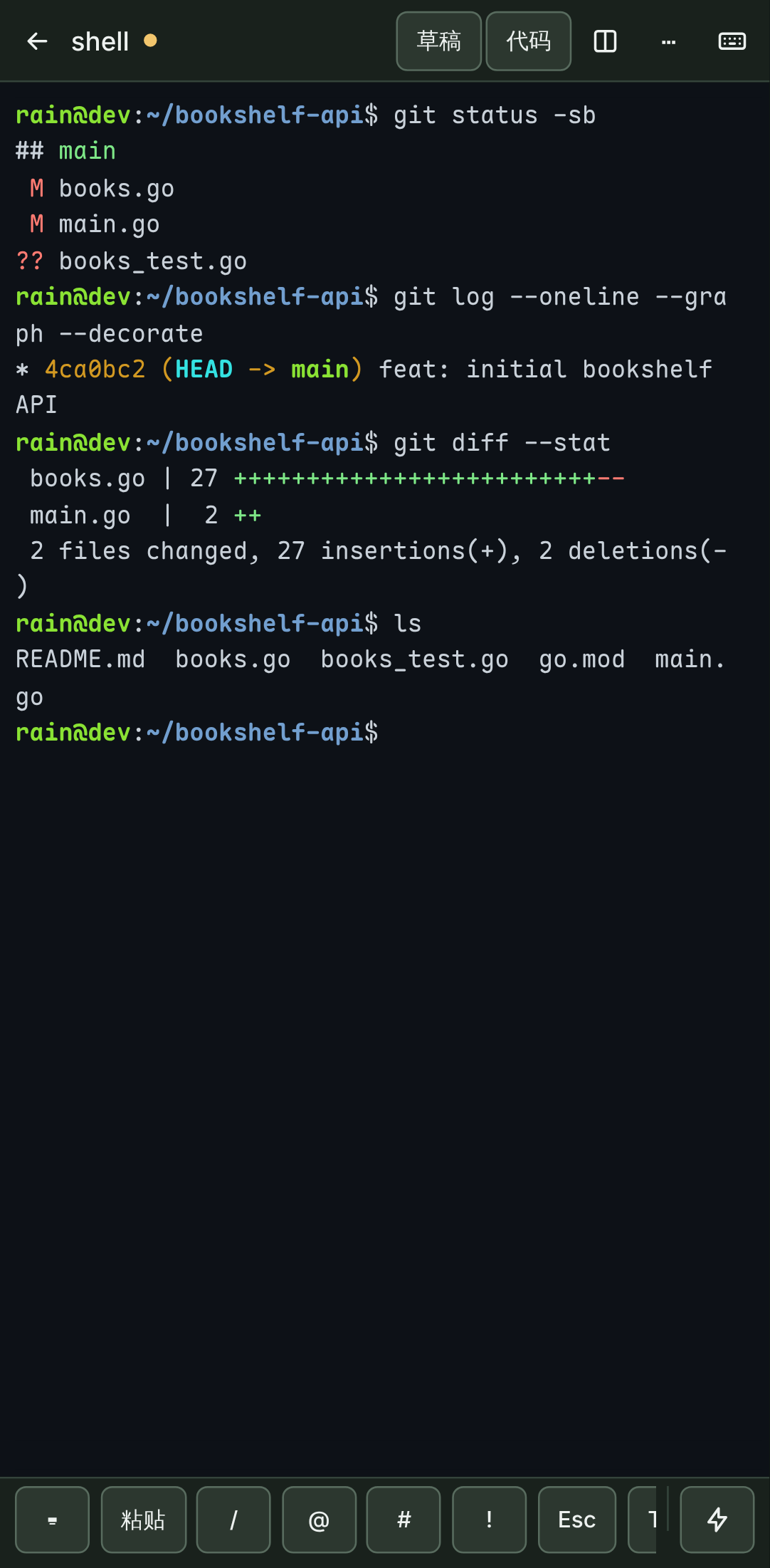
A lock-screen notification brings you back. Answer in the native TUI with the soft-key bar, or switch the same conversation to the chat view. One reply and it carries on.

Read about attention alerts (Chinese docs)

手机上遥控 omp,底部是软键栏移动端混合会话聊天视图

03 / Review back at your computer

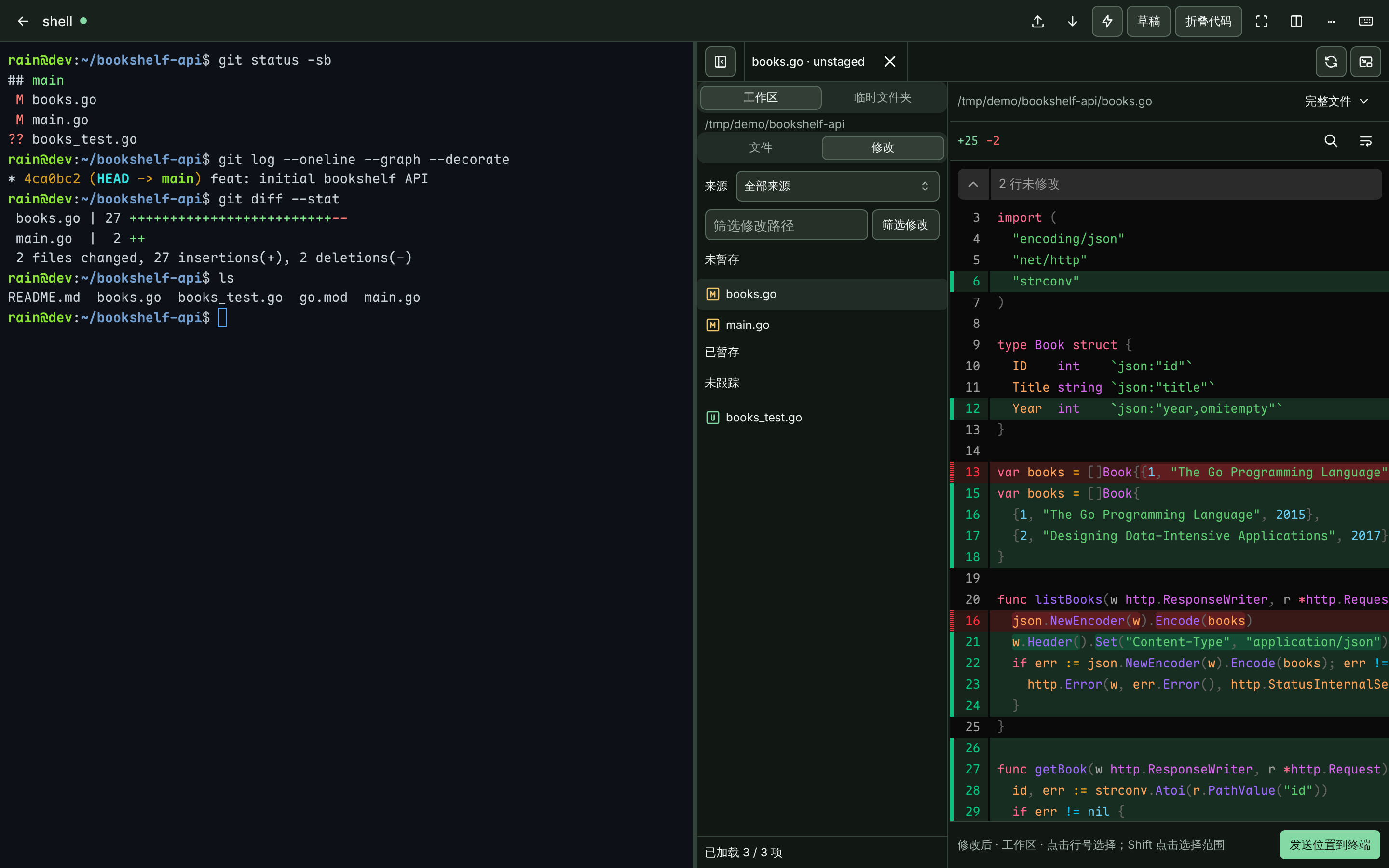
At the office, the diff is already waiting next to the terminal.

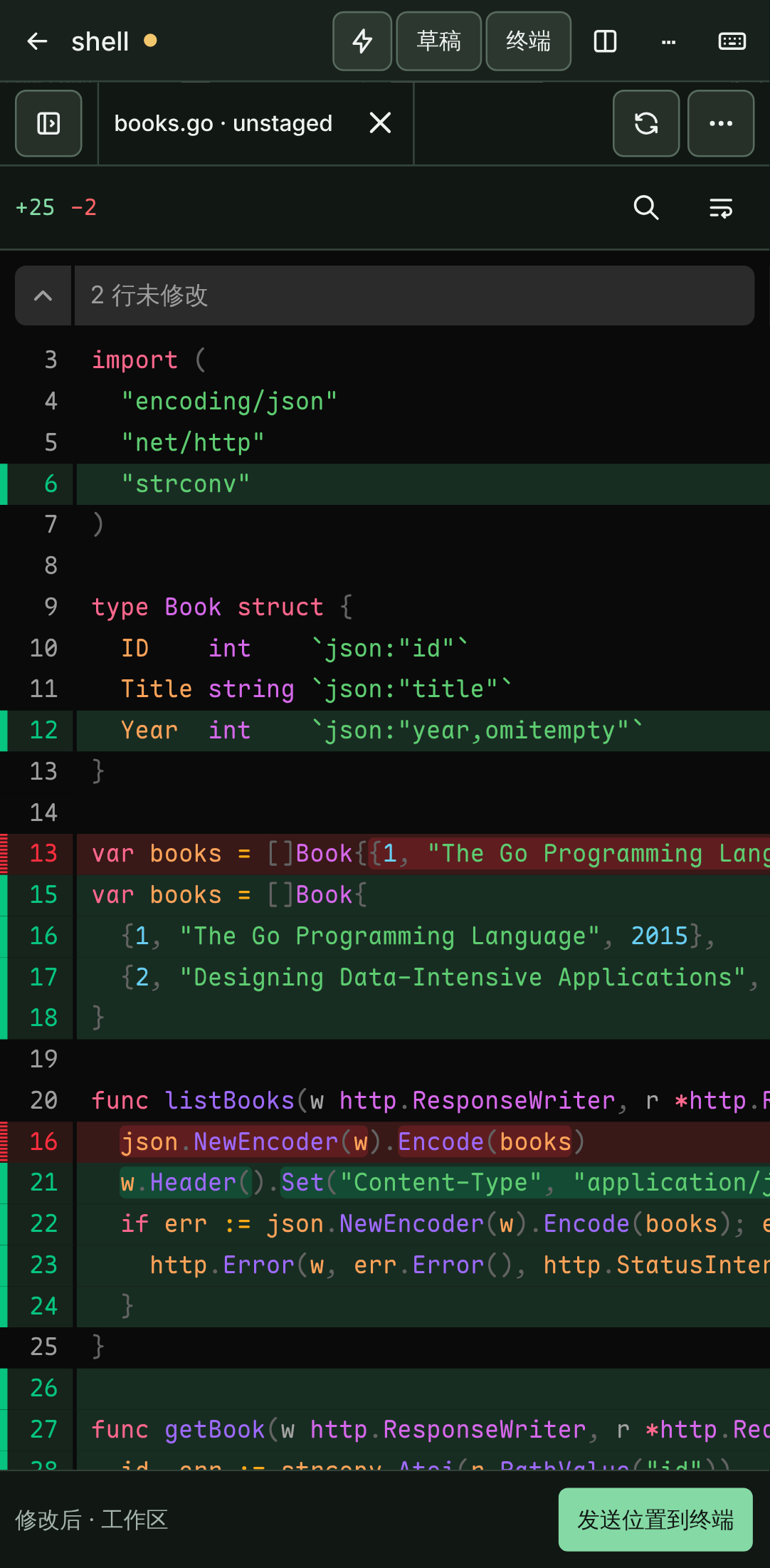
Review it and keep going in the same terminal; send path:line to the agent in one click. It is the same process all the way, and not a line of output is lost.

Read about the code workspace (Chinese docs)

代码工作区:在终端旁查看 agent 改动的 Git Diff

Why you’ll like it

A single binary of about 24 MB that keeps terminal sessions on the server.

Sessions survive disconnects
Lock the phone, switch networks, close the tab. Reconnecting replays only the output you missed.
Your agents, unmodified
Nine CLIs including Claude Code, Codex and omp come preconfigured and run in a real PTY.
TUI ↔ chat in one tap
One conversation: TUI on the desktop, chat view on the phone, full history kept.
It tells you when it’s waiting
Questions and permission requests are detected: overview badges, tab hints, lock-screen push.
A workbench for code
Splits, drafts, file explorer and diffs, multi-format preview, Git worktrees, images in the terminal.
Light enough to forget
One binary, about 13 MB of memory when idle, no root, tmux or database; first-class on Windows via WSL 2.

Every image is a real screenshot from the WebMux repository.

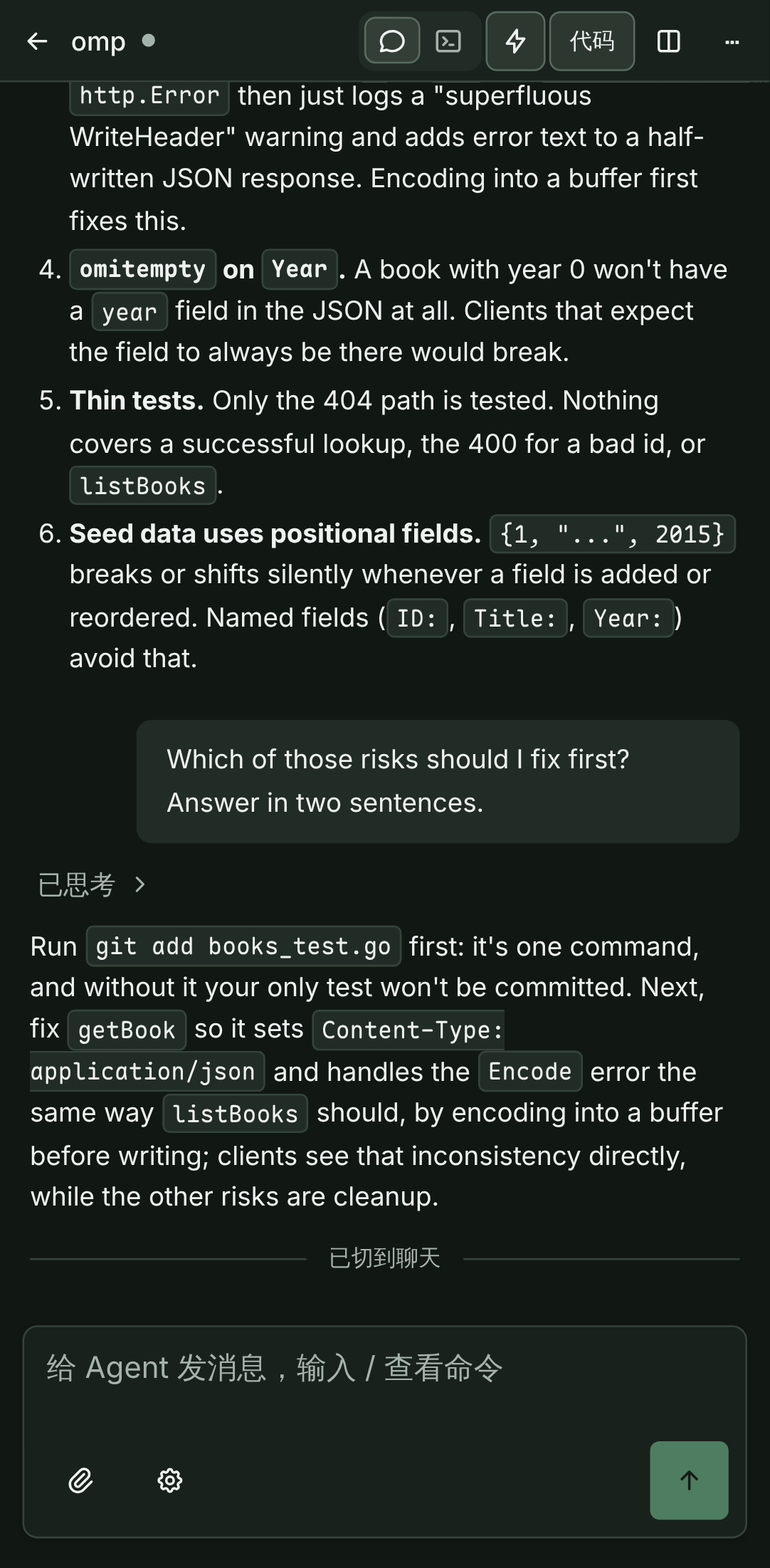
混合会话:同一段对话切换到聊天视图
Hybrid session: the same conversation in TUI and chat view
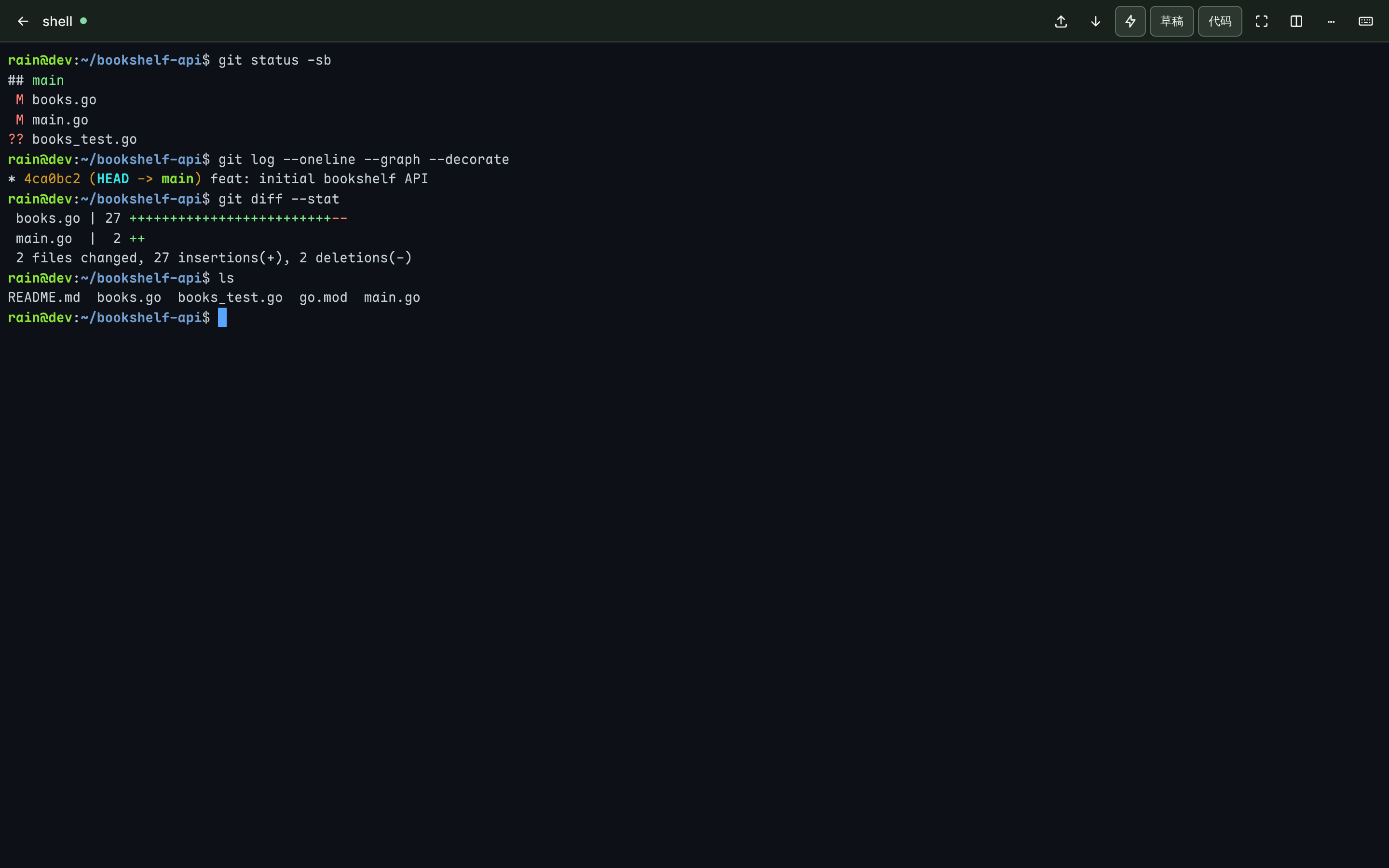
桌面端 Shell 终端
Terminal: native PTY, bytes straight to xterm.js
移动端终端与软键栏
Terminal with soft-key bar
移动端混合会话聊天视图
Chat view
移动端 Diff 查看
Diff review
More screenshots: splits, terminal graphics, file explorer, launch configs
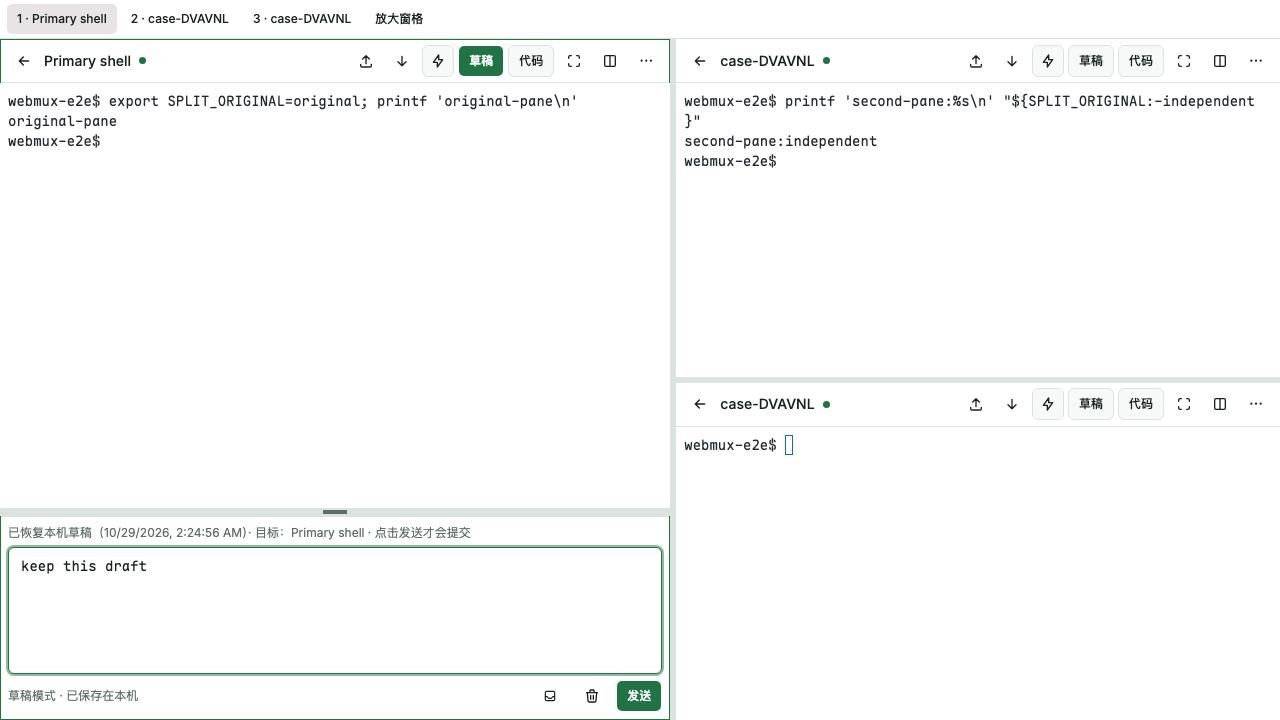
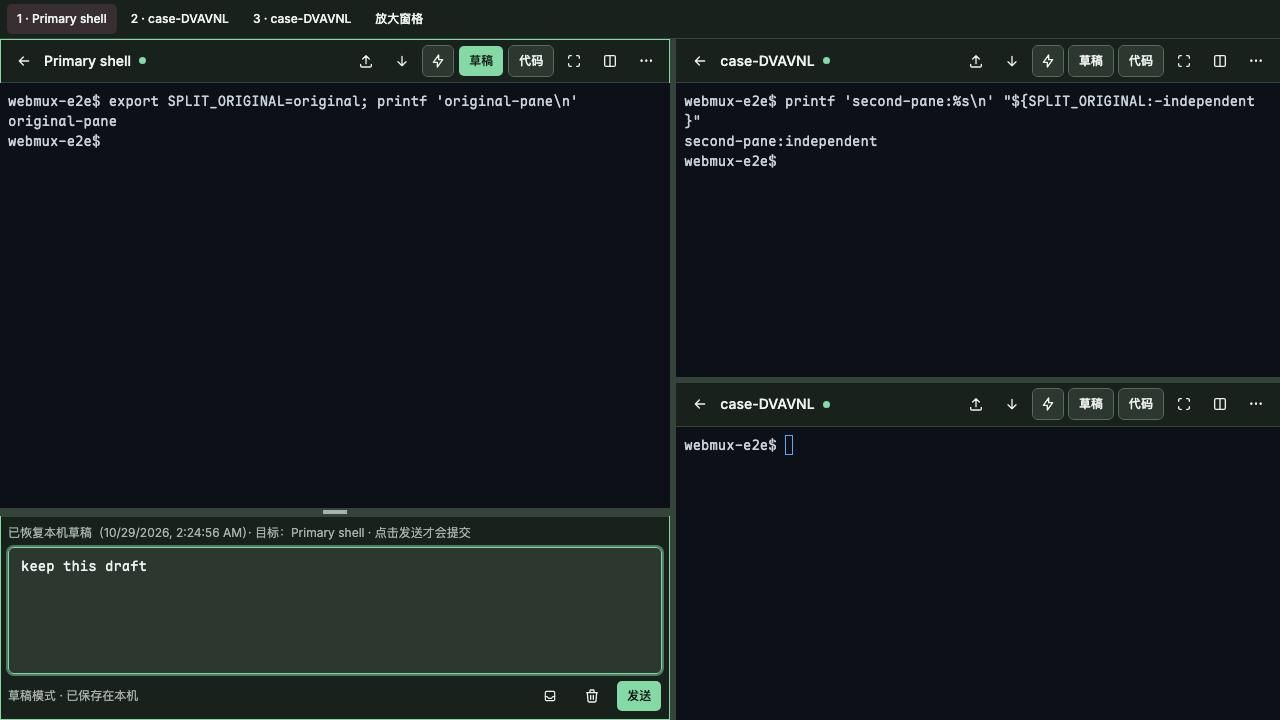
终端分屏与草稿模式终端分屏与草稿模式
Splits and drafts: up to 8 panes, Ctrl+B prefix
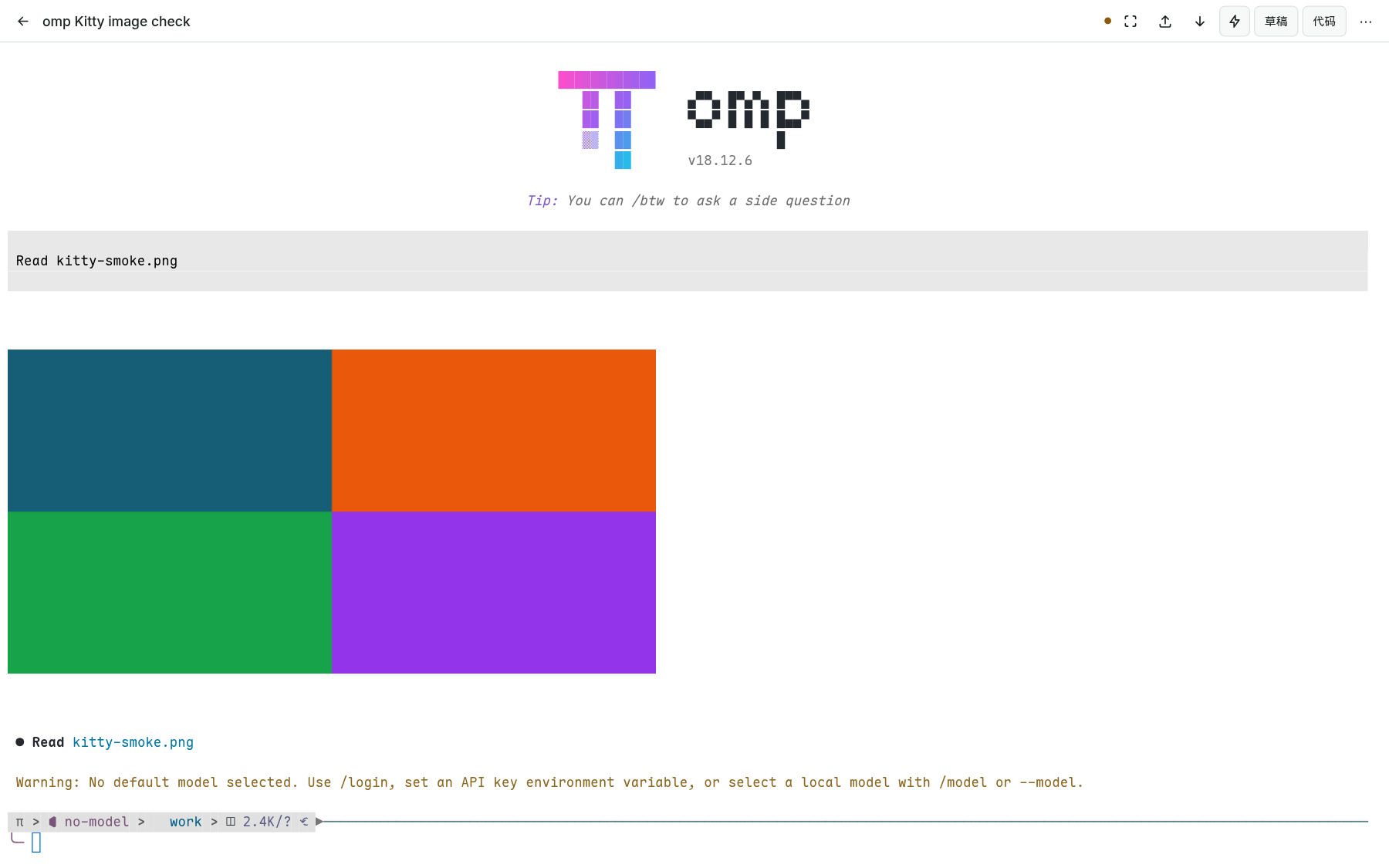
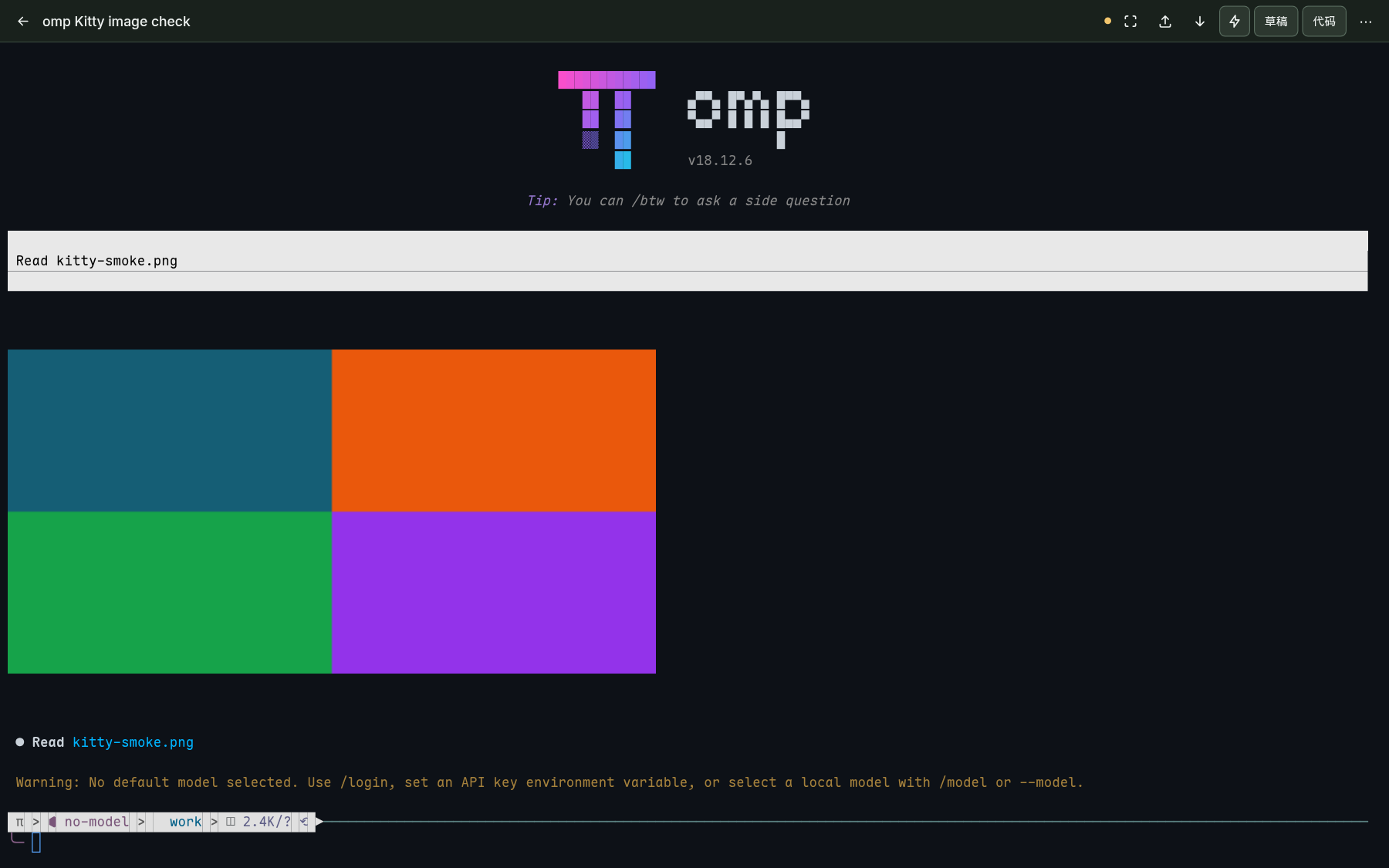
浏览器终端中显示 Kitty 协议图片浏览器终端中显示 Kitty 协议图片
Terminal graphics: the Kitty protocol lets agents show images
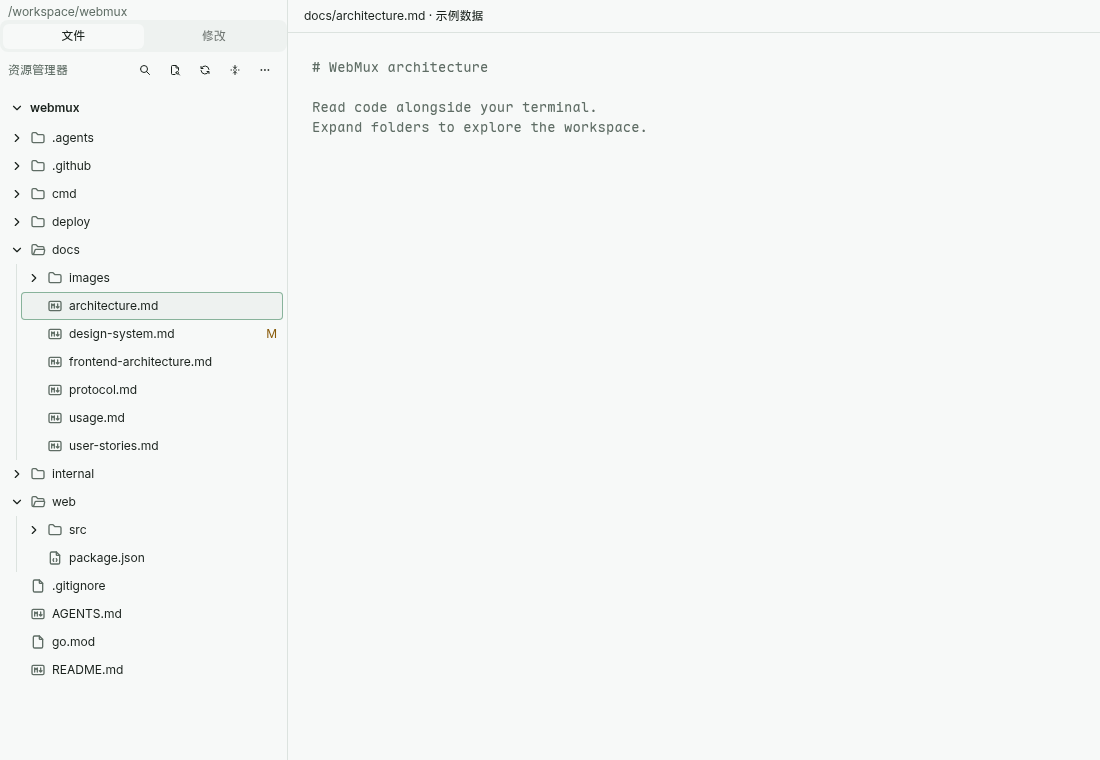
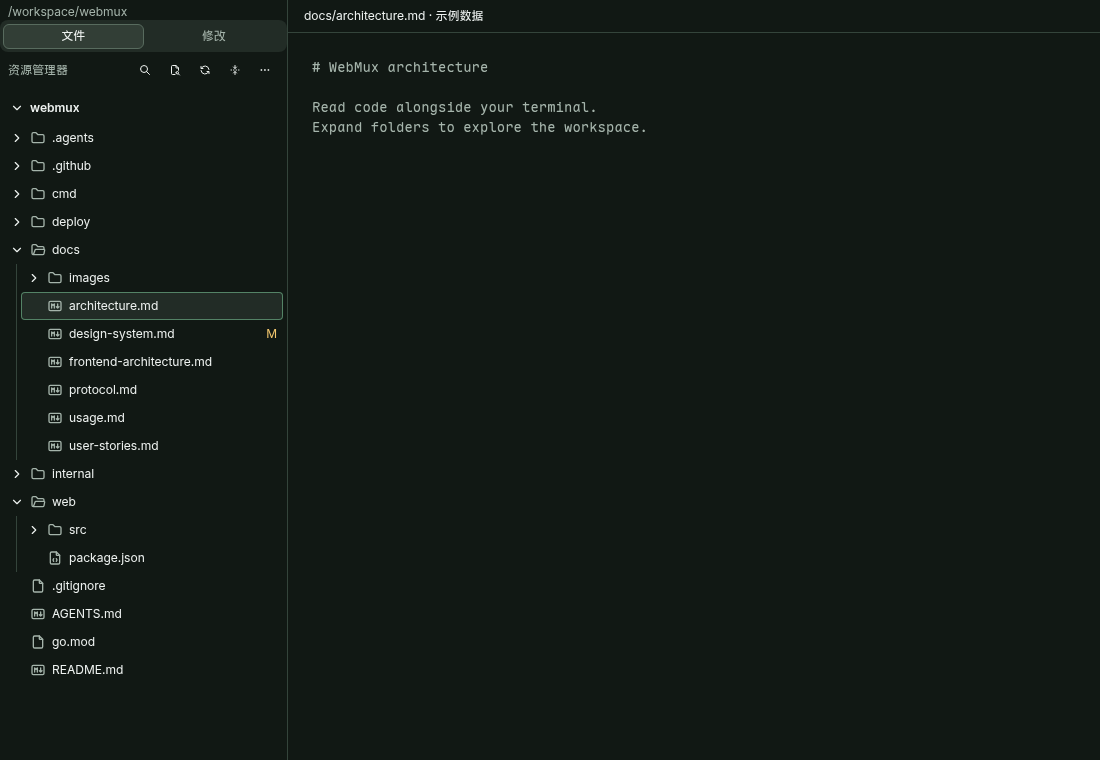
代码工作区资源管理器代码工作区资源管理器
File explorer: upload, download, rename and move files
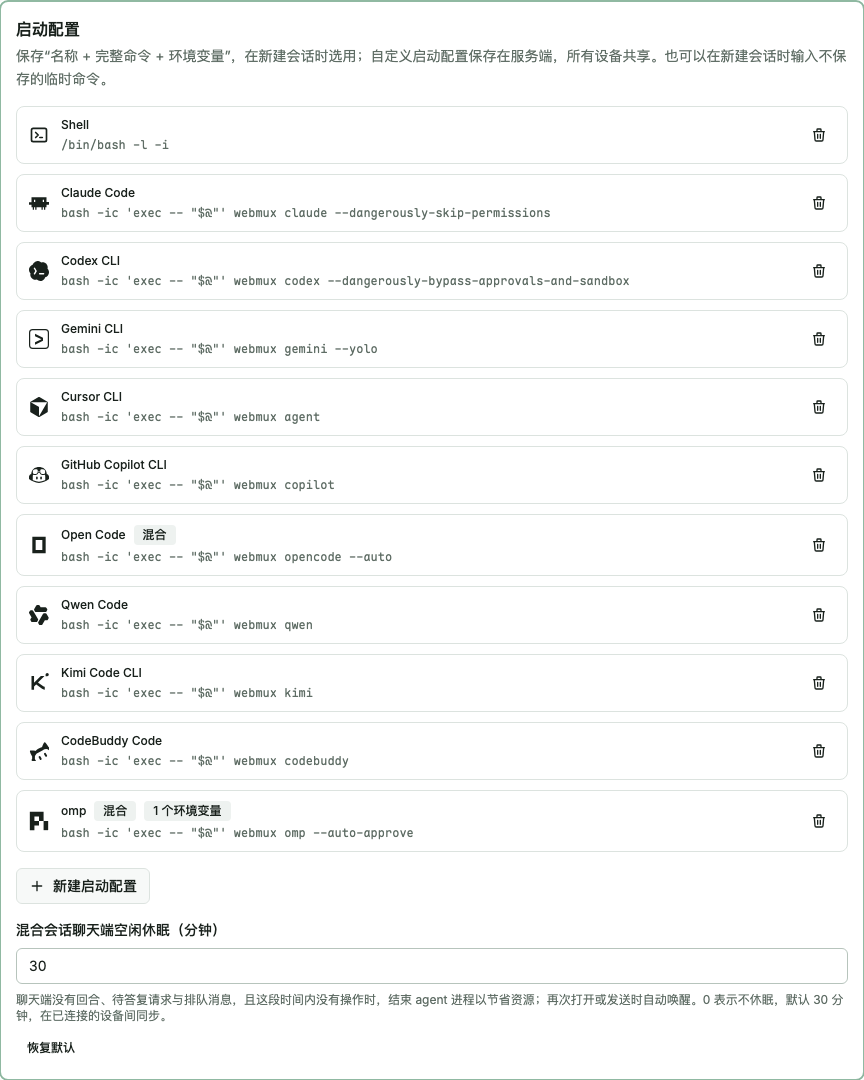
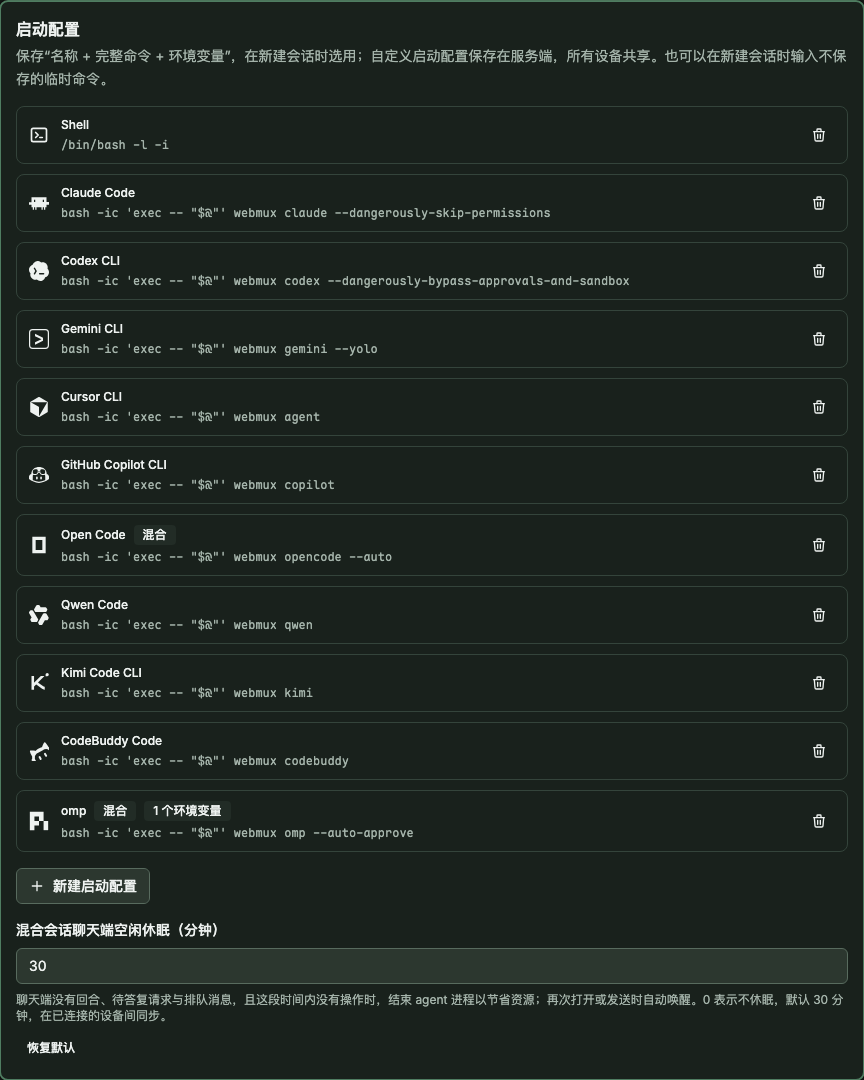
预置的 CLI agent 启动配置预置的 CLI agent 启动配置
Launch configs: nine CLI agents preconfigured, all editable

Hybrid sessions

One conversation: TUI on the desktop, chat on the phone.

OpenCode, omp, Codex CLI and Claude Code switch between the terminal and a chat view with the full history kept; the chat side handles attachments, permission prompts and token usage. The chat side of Codex CLI and Claude Code needs a third-party ACP connector (codex-acp, claude-agent-acp), which is not an official component of WebMux or the agent vendors.

Hybrid session docs (Chinese)

Nine CLI agents, preconfigured

Plus Shell and omp. Icons only indicate compatibility; trademarks belong to their owners.

See the compatibility matrix

Installed in two minutes

  1. 1. Install. Detects Linux / macOS and amd64 / arm64, verifies SHA-256 and installs to ~/.local/bin. No sudo, no changes to your shell config.

    curl -fsSL https://github.com/mzdluo123/webmux/releases/latest/download/install.sh | sh
  2. 2. Run. Then open http://127.0.0.1:7681 in a browser and click “New session”.

    webmux --listen 127.0.0.1:7681
  3. 3. Next: keep it running in the background, reach it from your phone, start agents from your usual terminal.

Compared with what you use today

WebMux

Session survives client disconnect
Yes · Server holds the PTY; a service restart ends sessions
Mobile TUI support (soft keys, touch scroll)
Yes · Soft-key bar, touch scrolling, locked terminal size
Agent question / permission alerts on lock screen
Yes · Depends on the CLI's status signals; push needs HTTPS
Switch between chat view and TUI
Partial · Claude Code, Codex CLI, OpenCode, omp
Single binary, no root or database
Yes · ~15 MB static binary, no tmux needed

SSH + tmux

Session survives client disconnect
Yes · tmux sessions keep running after detach
Mobile TUI support (soft keys, touch scroll)
Partial · Depends on the phone's SSH client
Agent question / permission alerts on lock screen
Not verified · Not stated in official docs
Switch between chat view and TUI
No · Terminal only
Single binary, no root or database
Partial · Needs sshd and tmux; tmux needs no root

ttyd / gotty

Session survives client disconnect
Not verified · Pair with tmux yourself; ttyd's --once exits on disconnect
Mobile TUI support (soft keys, touch scroll)
Not verified · Not stated in official docs
Agent question / permission alerts on lock screen
Not verified · Not stated in official docs
Switch between chat view and TUI
No · Terminal only
Single binary, no root or database
Yes · Single executable

mosh

Session survives client disconnect
Partial · Officially survives roaming and laptop sleep
Mobile TUI support (soft keys, touch scroll)
Not verified · Not stated in official docs
Agent question / permission alerts on lock screen
Not verified · Not stated in official docs
Switch between chat view and TUI
No · Terminal only
Single binary, no root or database
Partial · No privileged code or daemon; needs SSH and UDP ports

Third-party cells checked against official docs on 2026-11-03; “Not verified” means the docs do not say.See the full comparison

Where do my sessions go after the service restarts?
Creating a session says claude / codex is not found?
How do I open it from my phone?
Is WebMux safe?
Does it work on Windows?
Does it cost anything? What is the license?

Open source, MIT, one binary.

Copy the command to install it, or read the source on GitHub first.

curl -fsSL https://github.com/mzdluo123/webmux/releases/latest/download/install.sh | sh
View on GitHub